Daisy Seed POD
Daisy Seed DSP POD
✔️ Introduction
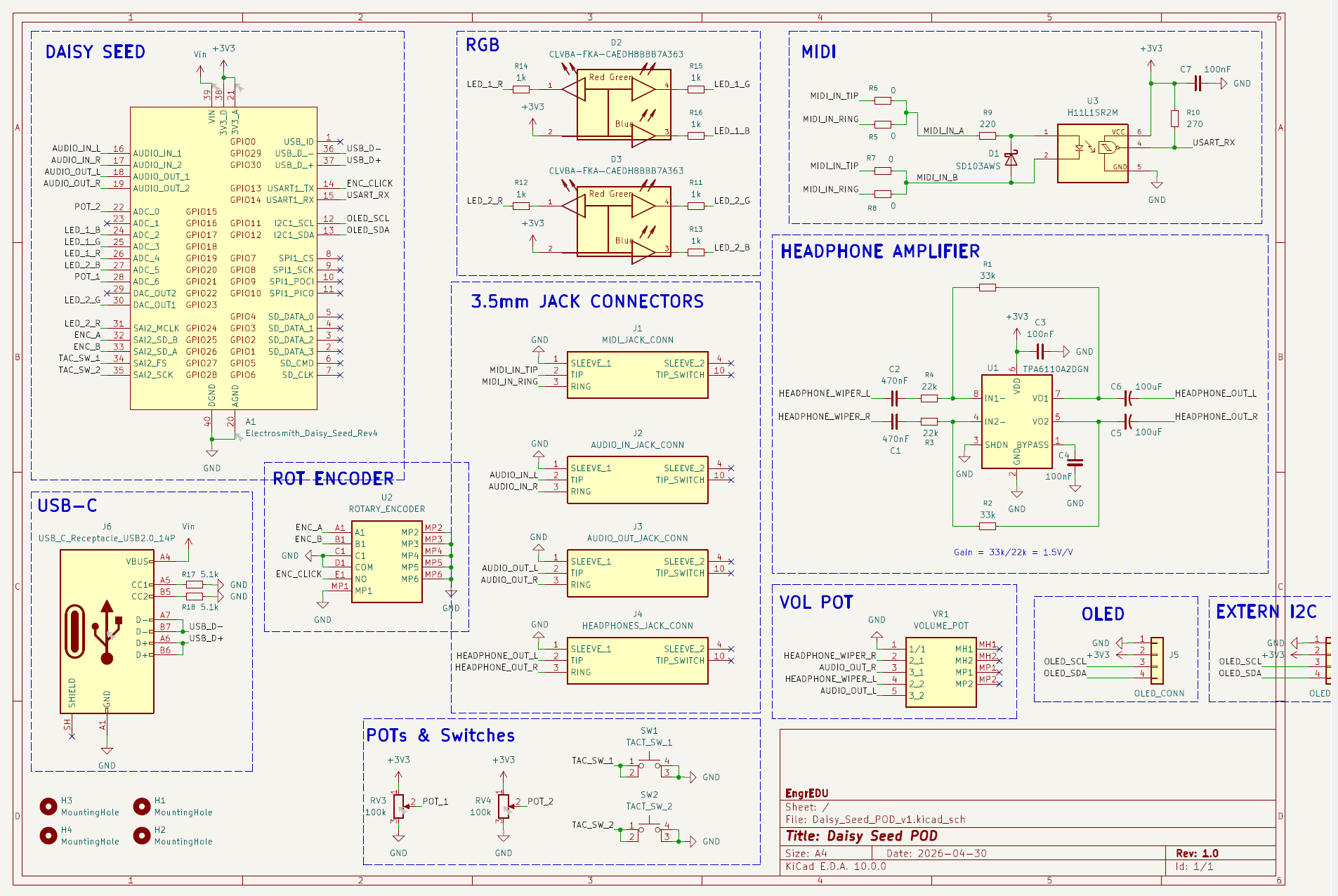
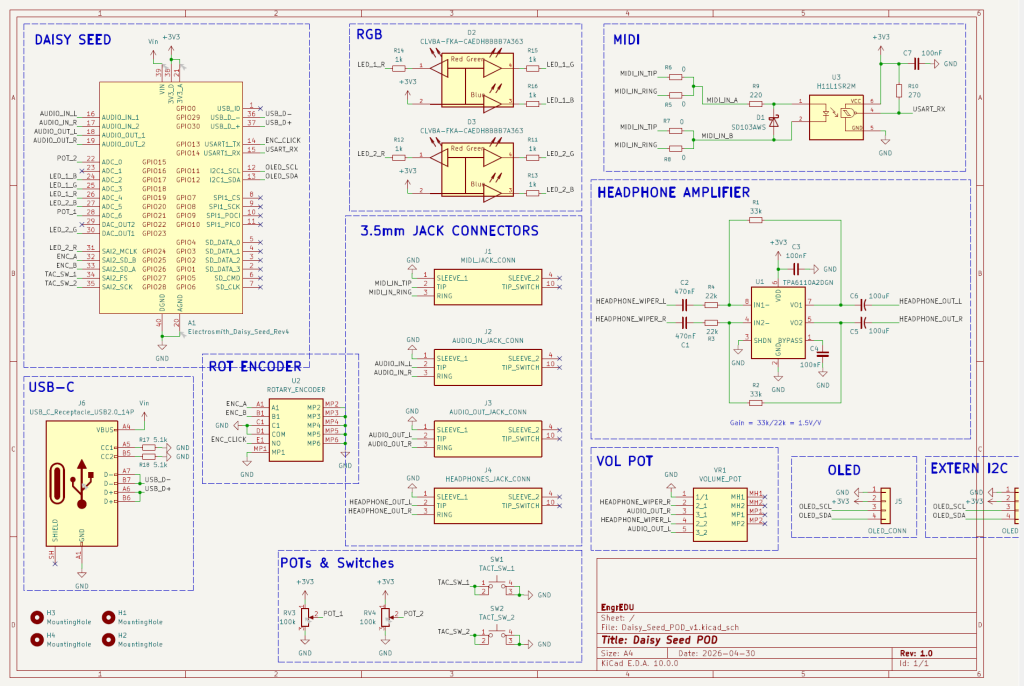
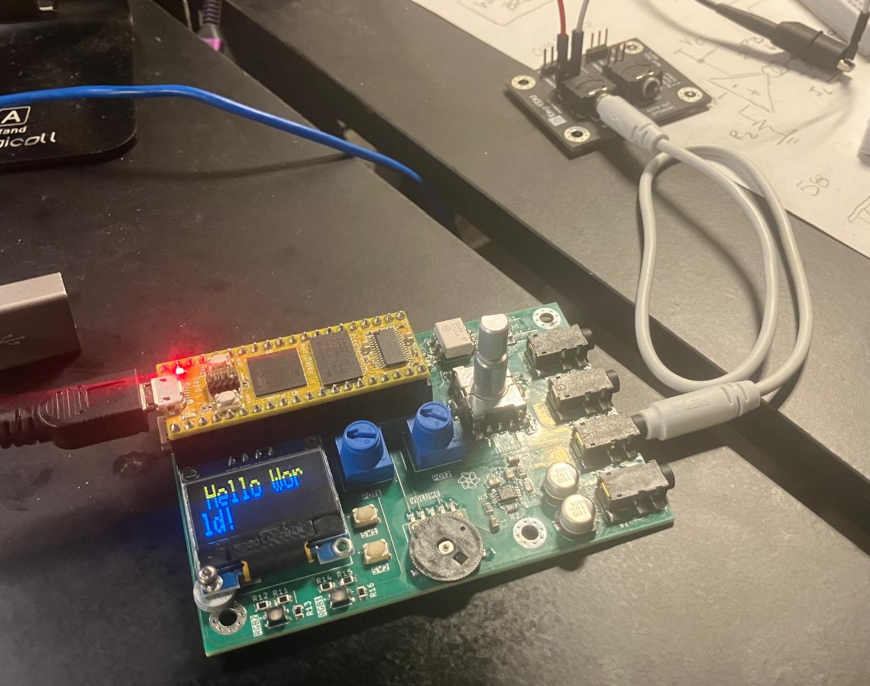
This project is inspired on the Daisy Seed Pod from ElectroSmith. The main goal is to expand the original board and include additional peripherals that allow students to have a platform to experiment with more ideas for synthesizers, guitar pedals, or anything related to DSP for audio.
✔️ Design Stage
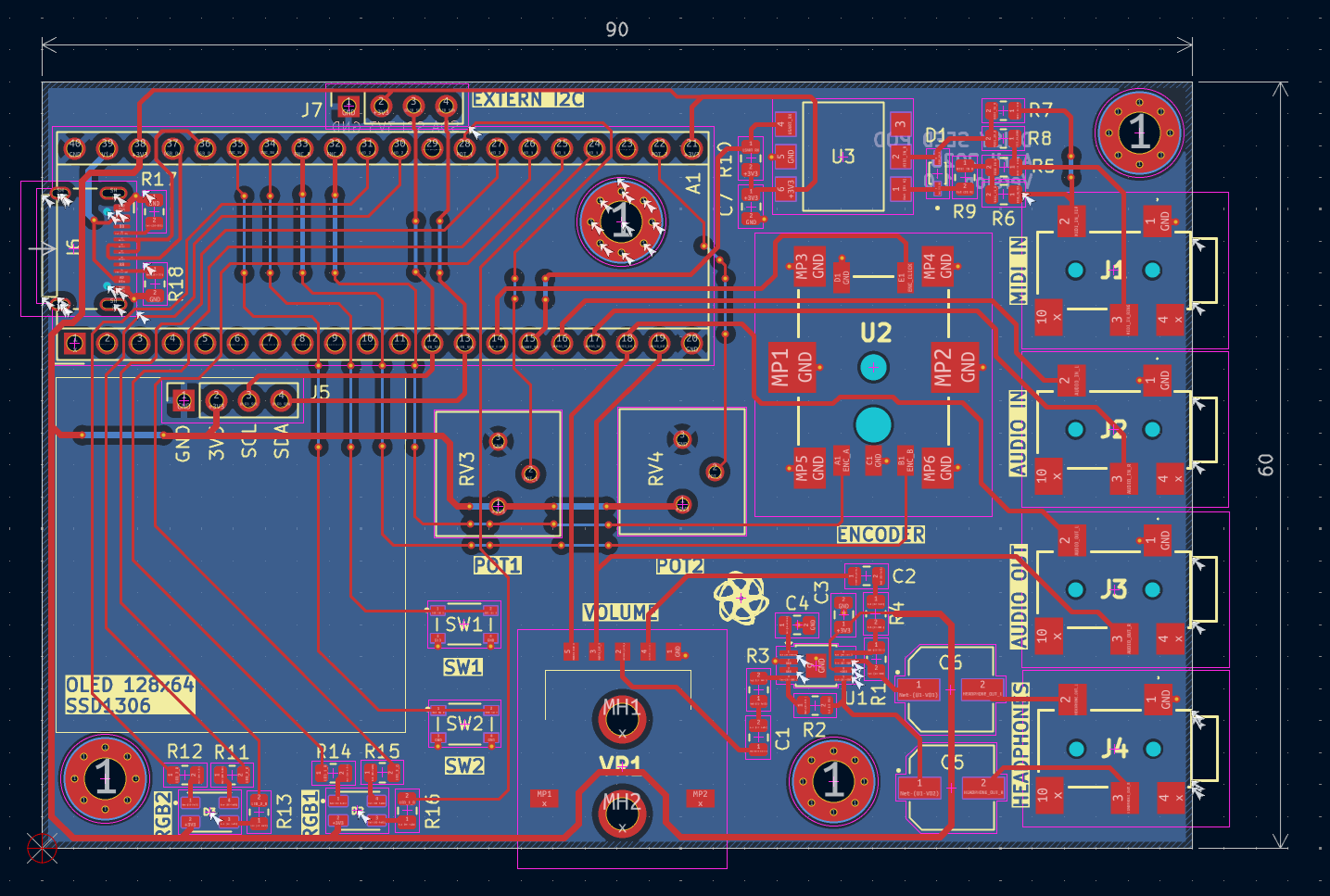
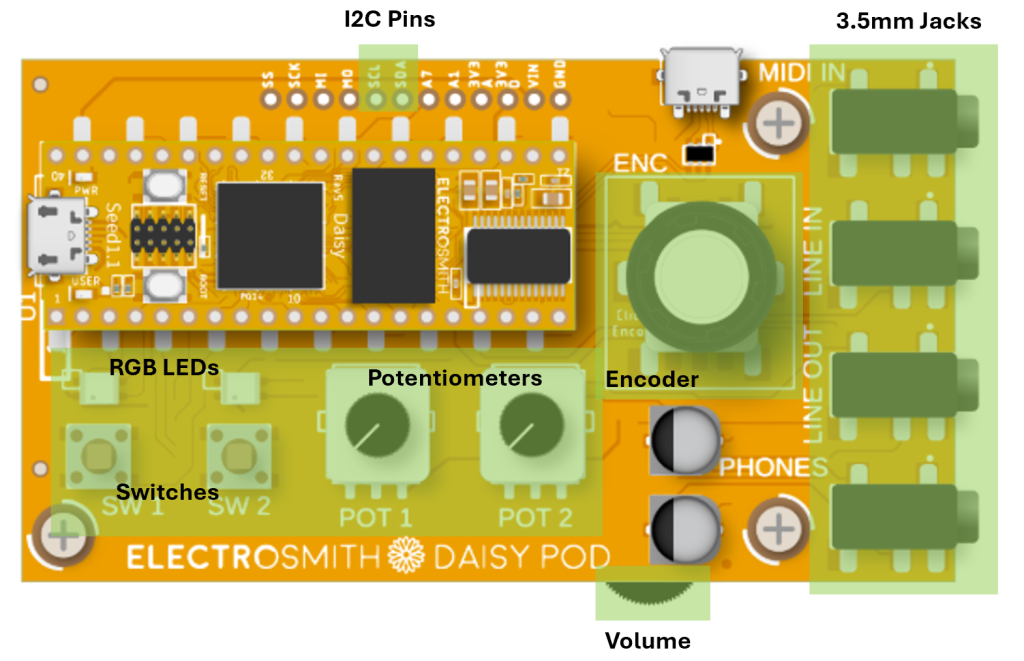
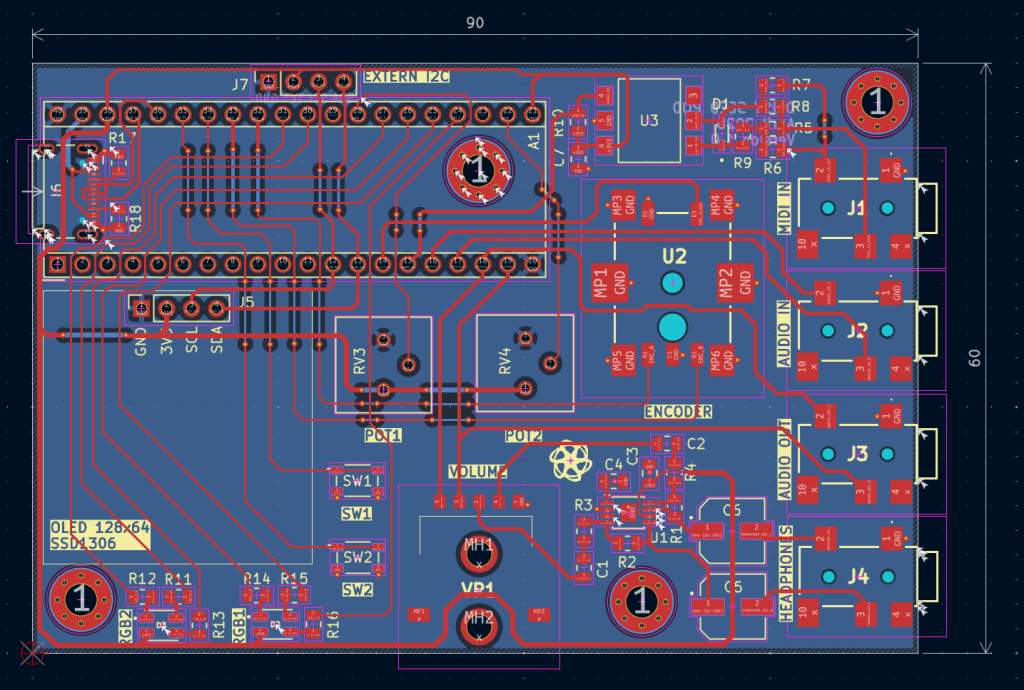
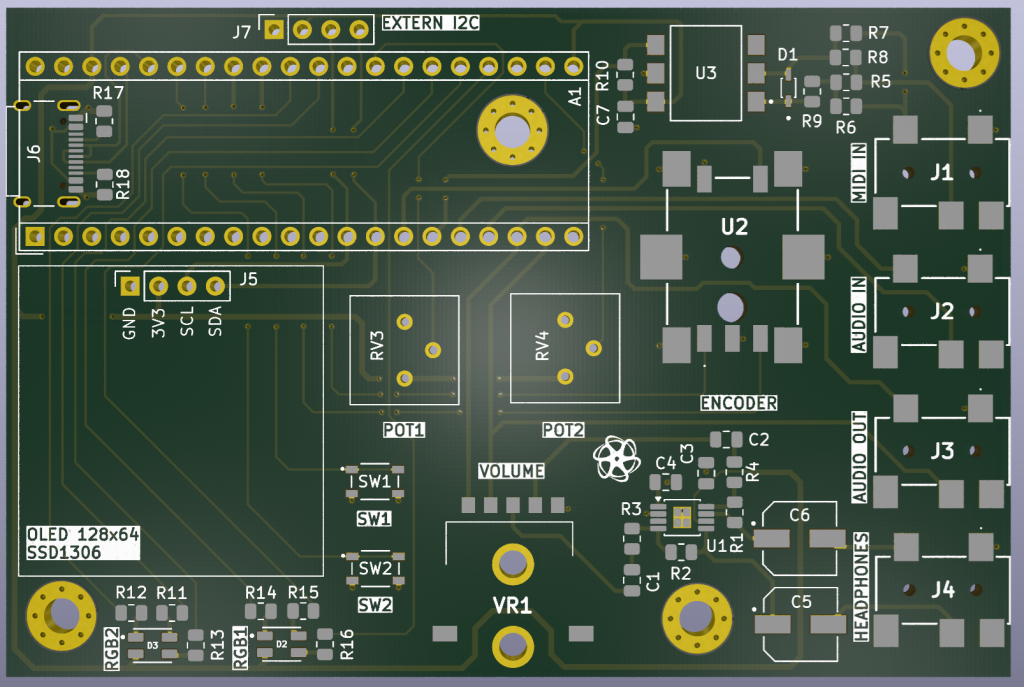
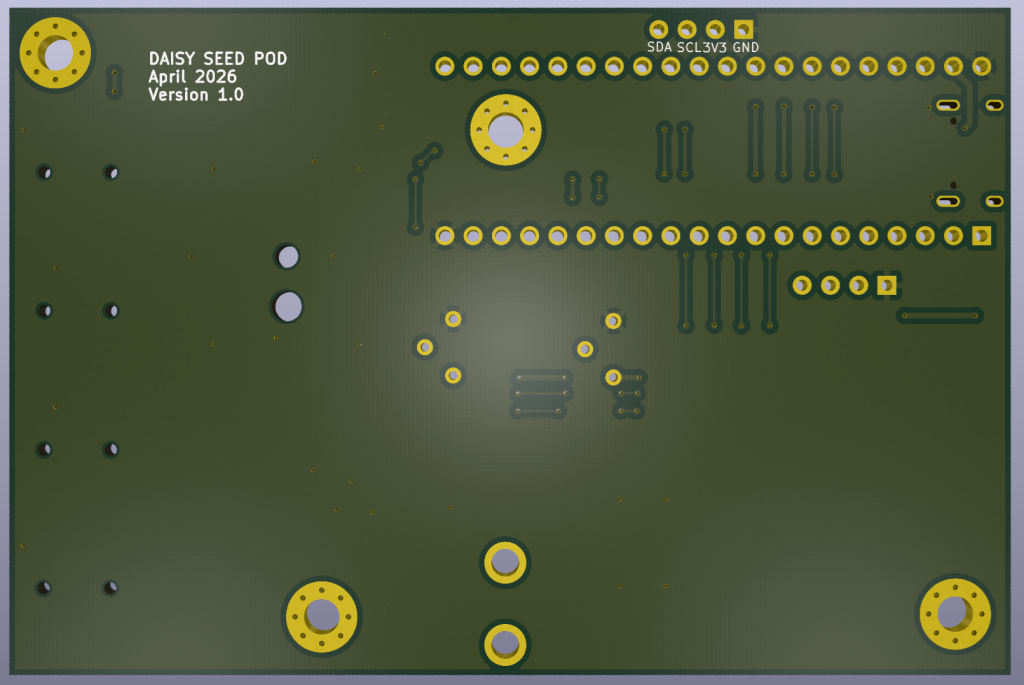
This board will keep the original two potentiometers, two switches, two RGB LEDs, one encoder, four 3.5mm jacks (audio input, audio output, headphones and MIDI in), one volume potentiometer, and the I2C pins.
Additions
- OLED screen that uses I2C protocol.
- I2C pins available as an external connector for an additional peripheral to be connected (for example we can connect the MPU6050).
- USB-C connector to program the board
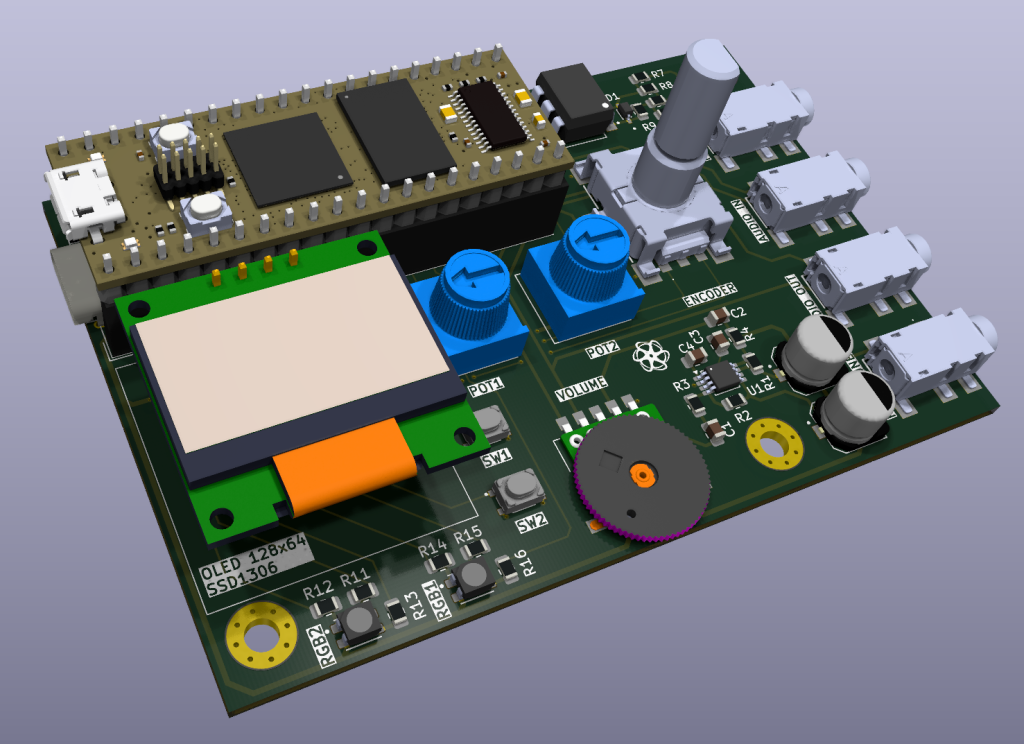
✔️ Assemble Stage
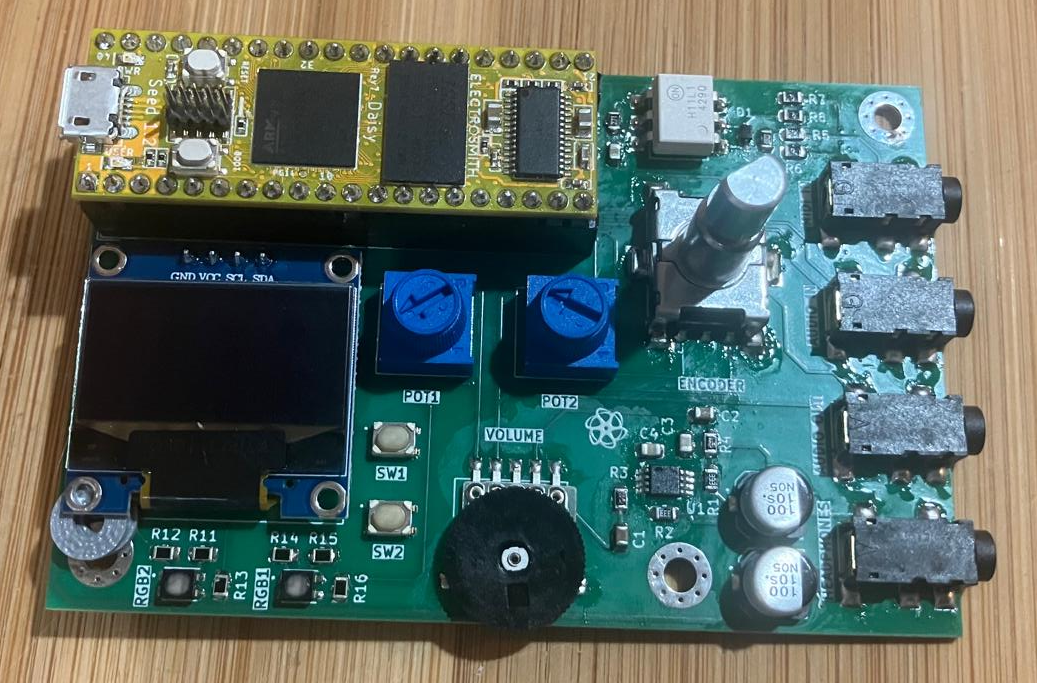
The boards were manufactured by PCBWay
Always happy with the service provided by them. The boards were manufactured and shipped within 8 days and with the usual quality.
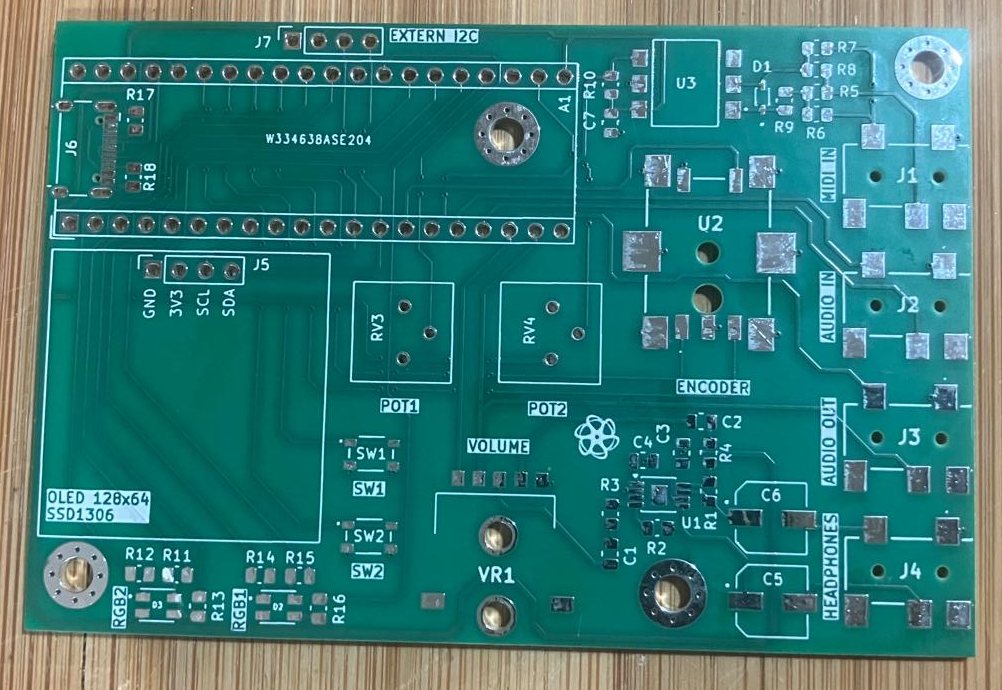
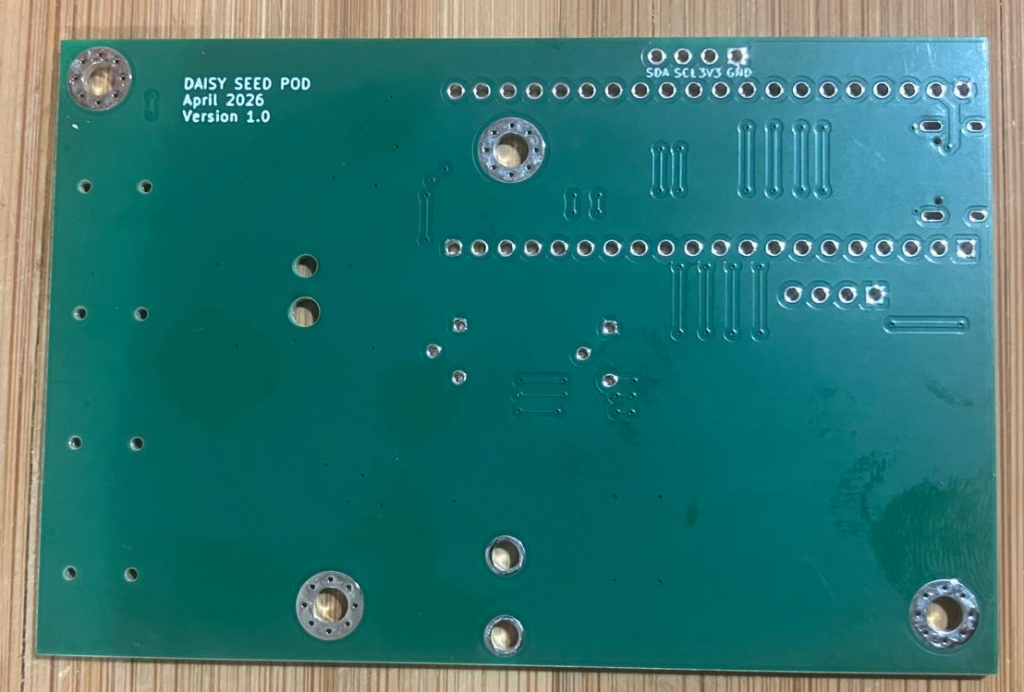
Assembled in house.
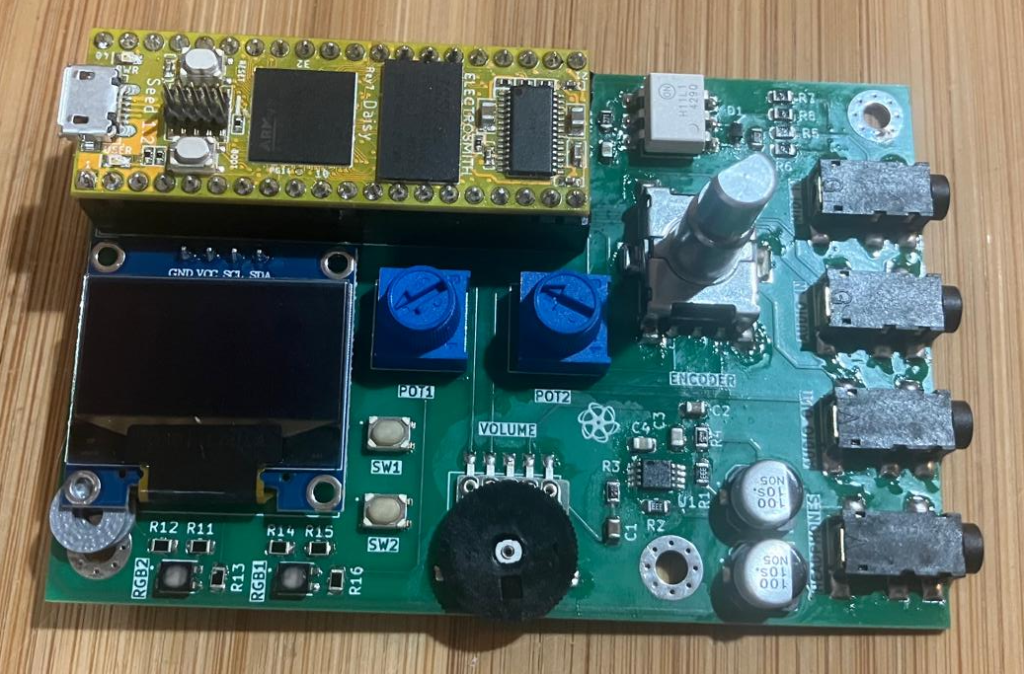
🔧 Testing Stage (with DaisyDuino Library)
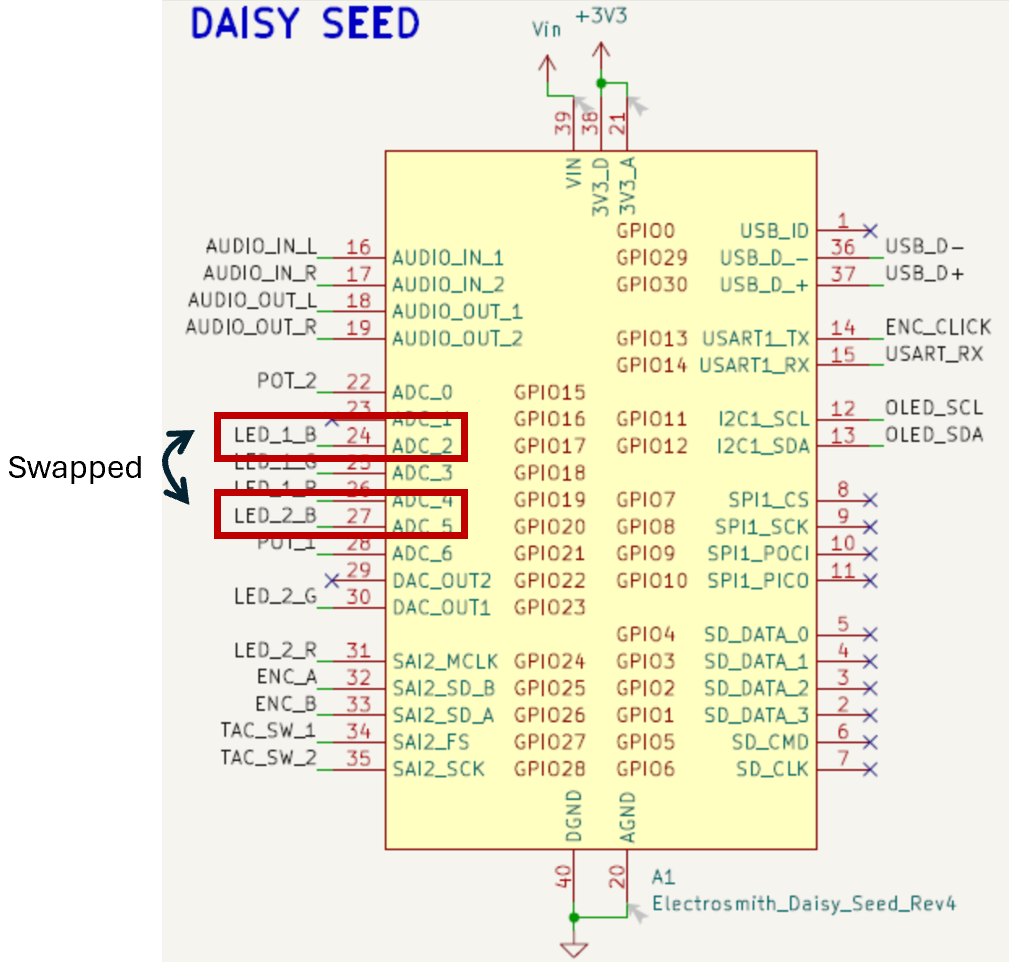
Quick Note: The DaisyDuino library supports the board’s two tactile switches, two potentiometers, one encoder, audio input/output, and MIDI input. During routing, however, I unintentionally reassigned two of the RGB LED pins to simplify the layout, without ensuring full compatibility with the DaisyDuino library. As a result, the library still functions with the RGB LEDs, but to control them independently you must avoid using the blue channel. This issue will be corrected in the next revision of the board.
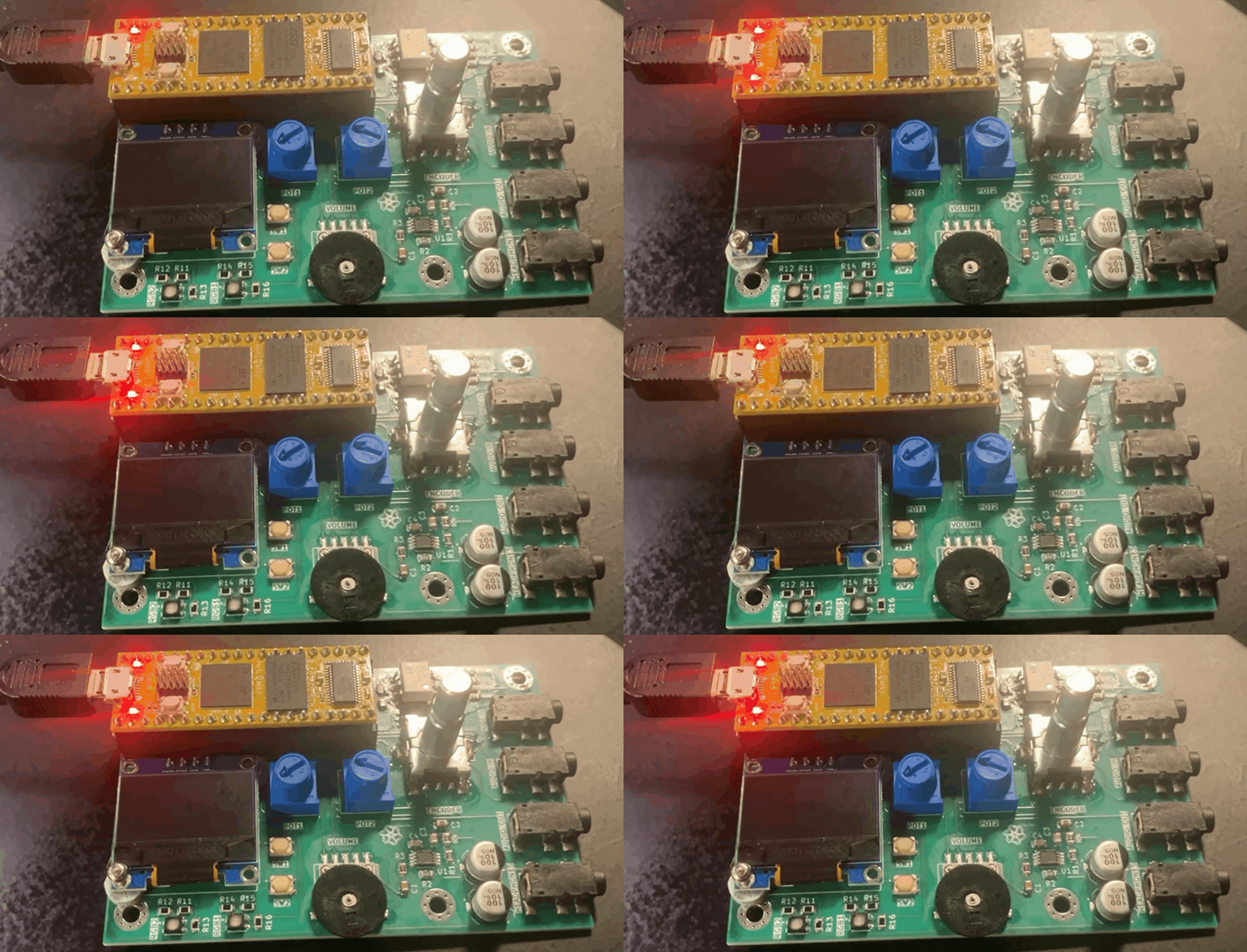
Blink LED
Code from the Arduino IDE examples section.
// the setup function runs once when you press reset or power the board
void setup() {
  // initialize digital pin LED_BUILTIN as an output.
  pinMode(LED_BUILTIN, OUTPUT);
}

// the loop function runs over and over again forever
void loop() {
  digitalWrite(LED_BUILTIN, HIGH);  // turn the LED on (HIGH is the voltage level)
  delay(200);                      // wait for a second
  digitalWrite(LED_BUILTIN, LOW);   // turn the LED off by making the voltage LOW
  delay(200);                      // wait for a second
}
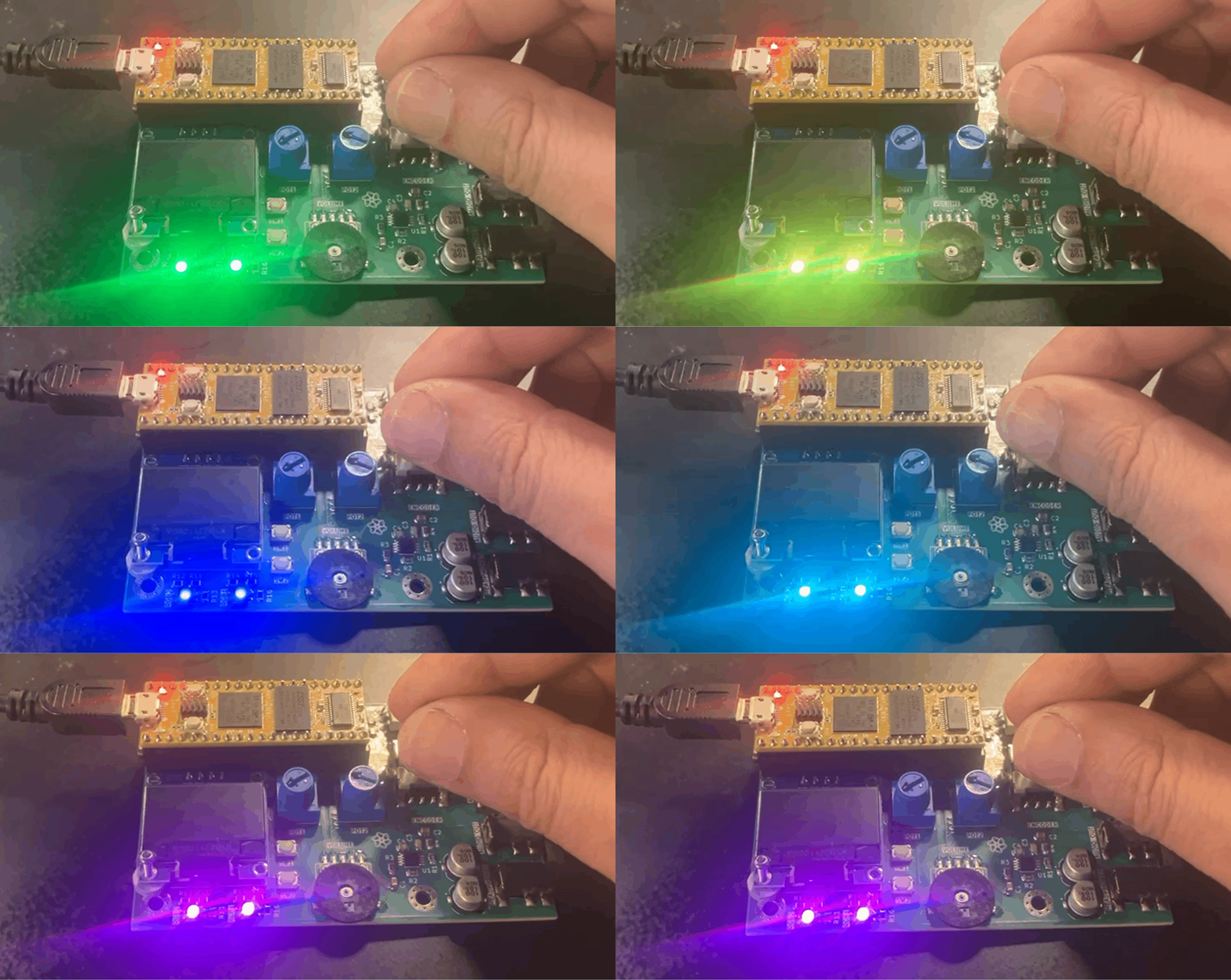
Encoder Test
Code from the Arduino IDE examples section.
// Title: Encoder
// Description: Sets leds based on encoder
// Hardware: Daisy Pod
// Author: Ben Sergentanis
// Controls:
// Encoder Turn: Change led color
// Encoder Press: Set leds off
// Diagram:
// https://raw.githubusercontent.com/electro-smith/DaisyExamples/master/pod/Encoder/resources/Encoder.png

#include "DaisyDuino.h"

uint8_t color;

DaisyHardware hw;

void setup() {
  hw = DAISY.init(DAISY_POD, AUDIO_SR_48K);

  color = 0;
}

void SetColor() {
  hw.leds[0].Set((color & B100) == B100, (color & B010) == B010,
                 (color & B001) == B001);
  hw.leds[1].Set((color & B100) == B100, (color & B010) == B010,
                 (color & B001) == B001);
}

void loop() {
  hw.DebounceControls();

  if (hw.encoder.RisingEdge()) {
    color = 0;
  }

  color += hw.encoder.Increment();
  color = (color % 8 + 8) % 8;

  SetColor();
}
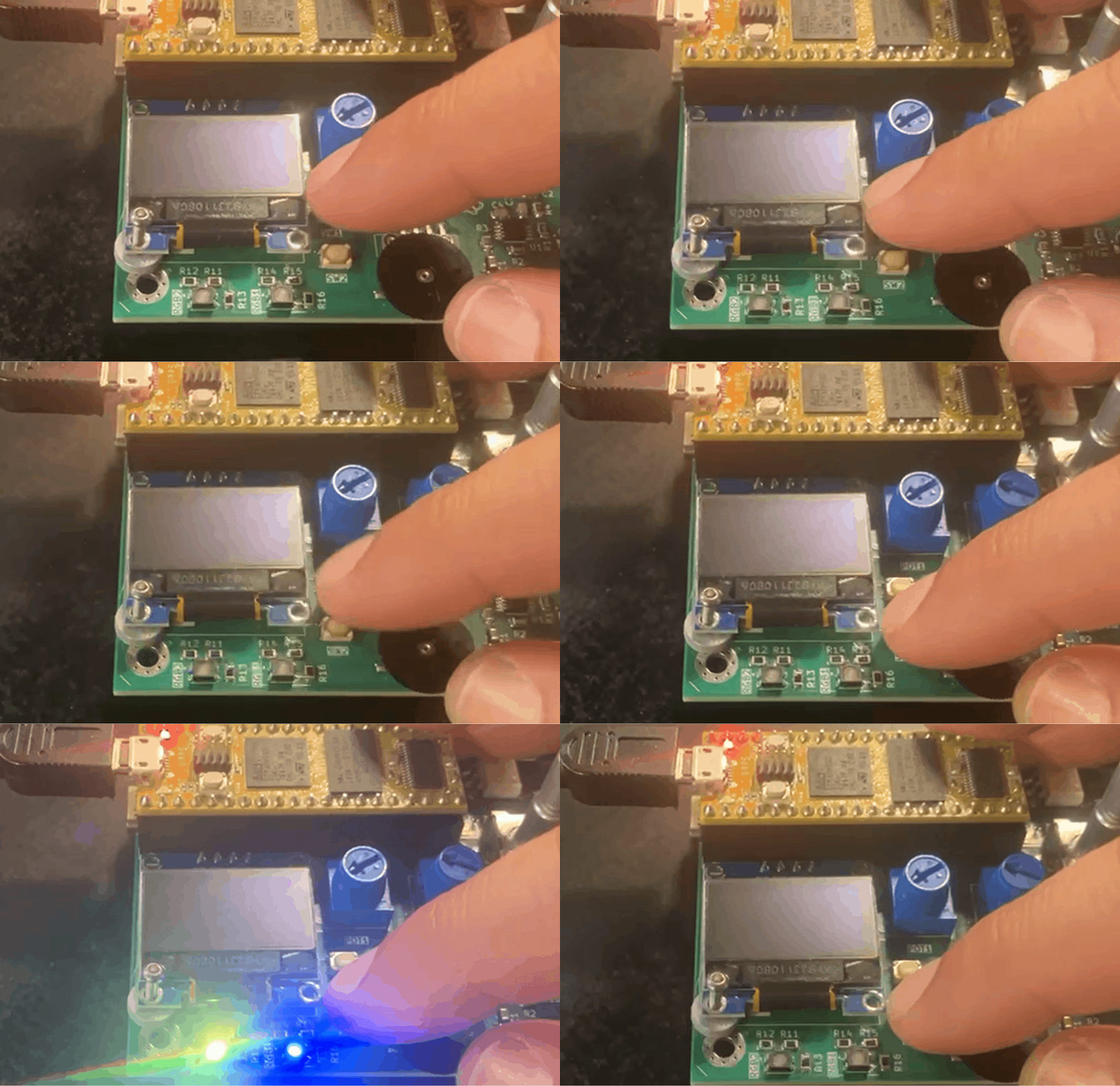
Simple Button
Code from the Arduino IDE examples section.
// Title: SimpleButton
// Description: Turn leds on and off with buttons
// Hardware: Daisy Pod
// Author: Ben Sergentanis
// Controls:
// Button 1: Hold to turn led 1 On
// Button 2: Latching led 2 On/Off
// Diagram:
// https://raw.githubusercontent.com/electro-smith/DaisyExamples/master/pod/SimpleButton/resources/SimpleButton.png

#include "DaisyDuino.h"

DaisyHardware hw;

bool led2on;

void setup() {
  led2on = false;
  hw = DAISY.init(DAISY_POD, AUDIO_SR_48K);
}

void loop() {
  delay(1);
  hw.DebounceControls();

  // using button1 as momentary switch for turning on/off led1
  bool onePressed = hw.buttons[0].Pressed();
  hw.leds[0].Set(onePressed, onePressed, onePressed);

  // using button2 as latching switch for toggling led2
  if (hw.buttons[1].RisingEdge())
    led2on = !led2on;

  hw.leds[1].Set(led2on, led2on, led2on);
}
Simple Oscillator
Code from the Arduino IDE examples section.
// Title: SimpleOscillator
// Description: Oscillator with pitch and waveforms
// Hardware: Daisy Pod
// Author: Stephen Hensley
// Controls:
// Knob 1: Oscillator pitch
// Encoder: Waveform select. Sine, tri, saw, square
// Button 1: Octave down
// Button 2: Octave up
// Diagram:
// https://raw.githubusercontent.com/electro-smith/DaisyExamples/master/pod/SimpleOscillator/resources/SimpleOscillator.png

#include "DaisyDuino.h"

#define NUM_WAVEFORMS 4

DaisyHardware hw;
Oscillator osc;

uint8_t waveforms[NUM_WAVEFORMS] = {
    Oscillator::WAVE_SIN,
    Oscillator::WAVE_TRI,
    Oscillator::WAVE_POLYBLEP_SAW,
    Oscillator::WAVE_POLYBLEP_SQUARE,
};

static float freq;
float sig;
static int waveform, octave;

static void AudioCallback(float **in, float **out, size_t size) {
  hw.DebounceControls();

  waveform += hw.encoder.Increment();
  waveform = (waveform % NUM_WAVEFORMS + NUM_WAVEFORMS) % NUM_WAVEFORMS;
  osc.SetWaveform(waveforms[waveform]);

  if (hw.buttons[1].RisingEdge())
    octave++;
  if (hw.buttons[0].RisingEdge())
    octave--;
  octave = DSY_CLAMP(octave, 0, 4);

  // convert MIDI to frequency and multiply by octave size
  freq = analogRead(PIN_POD_POT_1) / 1023.f;
  freq = mtof(freq * 127 + (octave * 12));
  osc.SetFreq(freq);

  // Audio Loop
  for (size_t i = 0; i < size; i++) {
    // Process
    sig = osc.Process();
    out[0][i] = sig;
    out[1][i] = sig;
  }
}

void InitSynth(float samplerate) {
  osc.Init(samplerate);
  osc.SetAmp(1.f);

  waveform = 0;
  octave = 0;
}

void setup() {
  float samplerate, callback_rate;
  hw = DAISY.init(DAISY_POD, AUDIO_SR_48K);
  samplerate = DAISY.get_samplerate();

  hw.leds[0].Set(false, false, false);
  hw.leds[1].Set(false, false, false);

  InitSynth(samplerate);

  DAISY.begin(AudioCallback);
}

void loop() {}
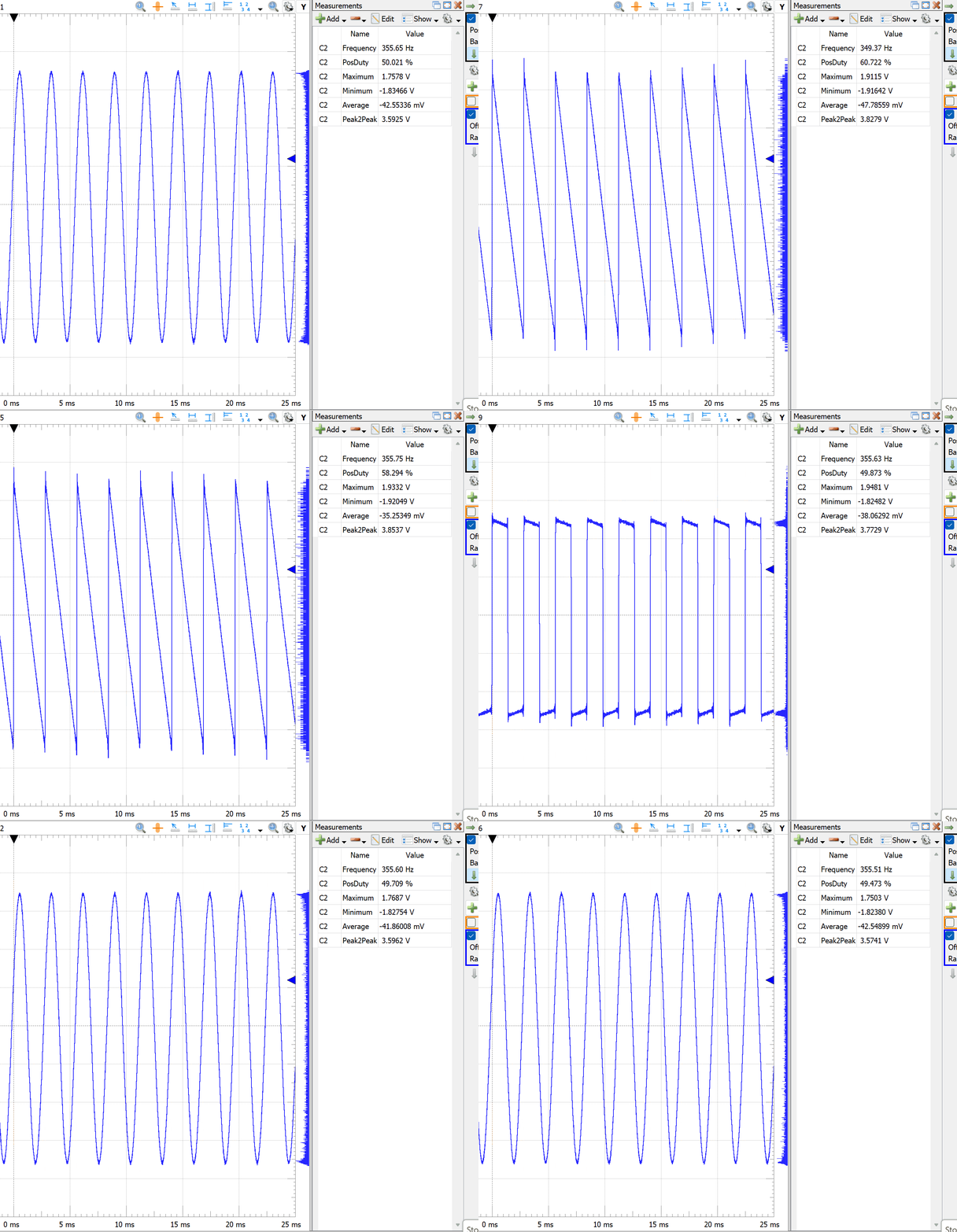
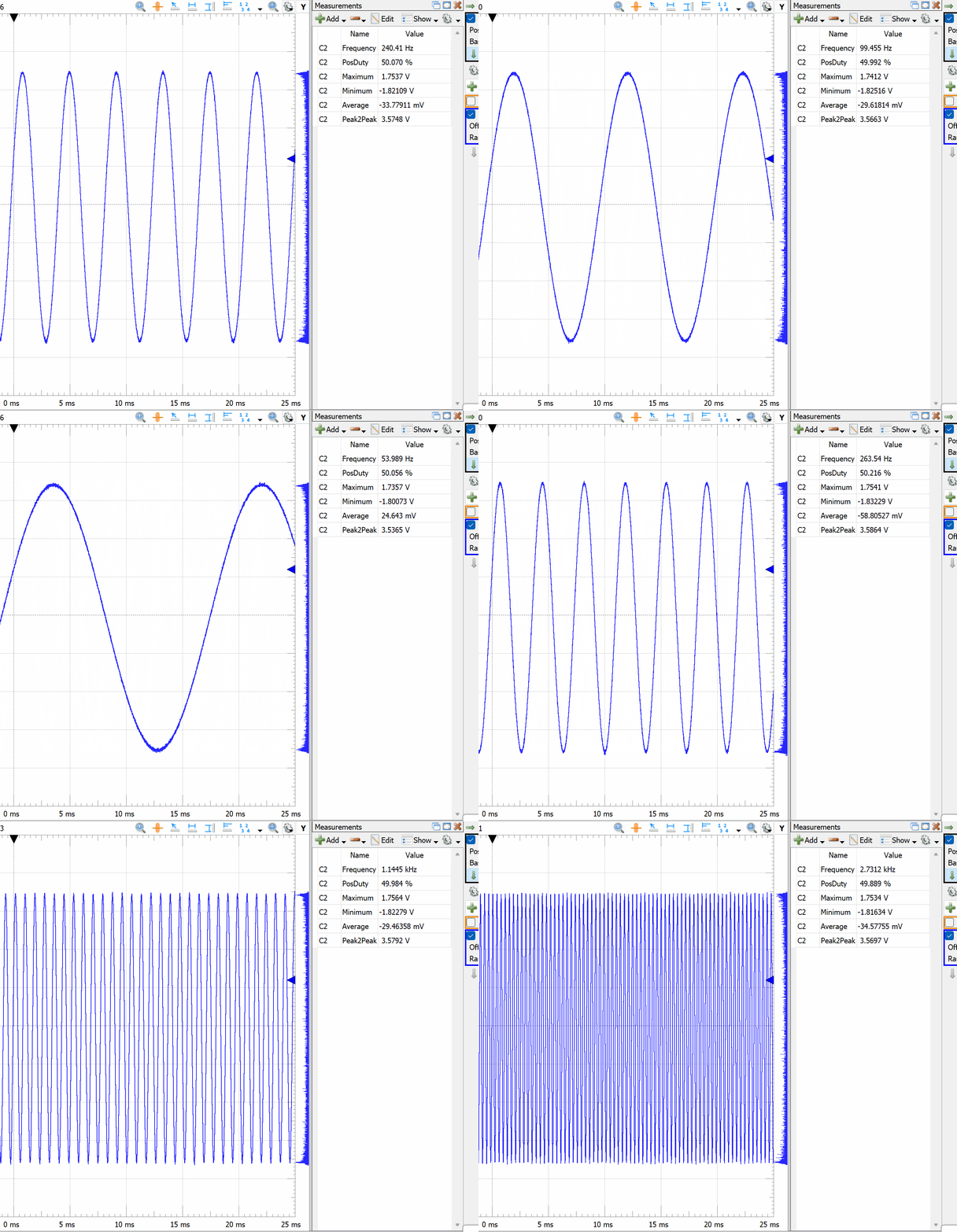
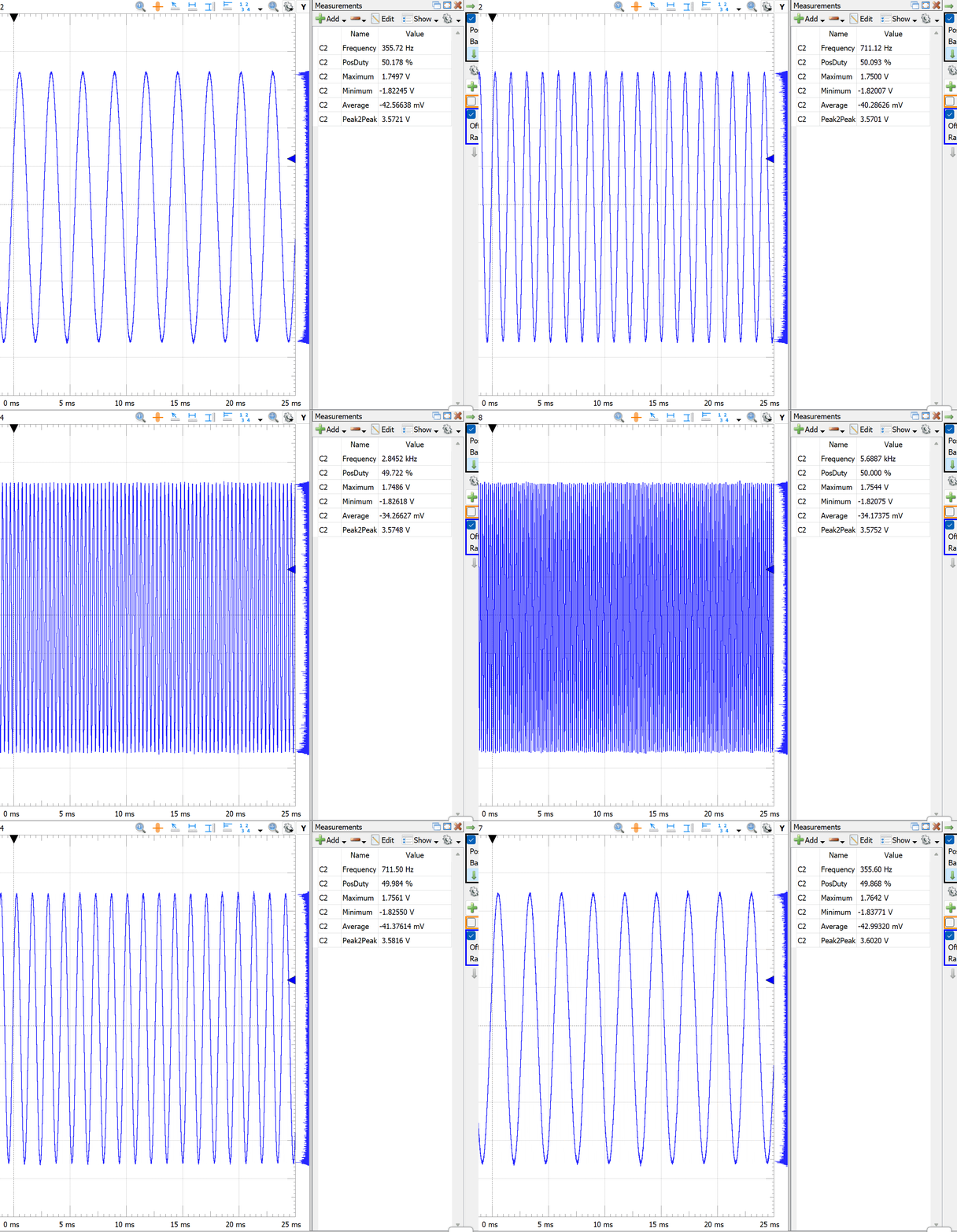
I am connecting an oscilloscope to the audio out 3.5mm jack to visualize the output waveforms.
Encoder selects different types of waveforms.
The DaisyDuino code mentions MIDI in the comments but the code is reading the value from Potentiometer 1 and changing the frequency accordingly.
SW2 goes up in octave and SW1 goes down in octave.
MIDI In
Code from the Arduino IDE examples section.
// Requires the arduino MIDI Library by Francois Best and lathoub.
// FortySevenEffects on Github This example simply triggers the envelope and
// changes the note when MIDI messages come in It works with the TRS midi on the
// Daisy Pod, NOT the USB Midi

#include "DaisyDuino.h"
#include <MIDI.h>

DaisyHardware hw;

Oscillator osc;
AdEnv env;

MIDI_CREATE_DEFAULT_INSTANCE();

static void AudioCallback(float **in, float **out, size_t size) {
  for (int i = 0; i < size; i++) {
    out[0][i] = out[1][i] = osc.Process() * env.Process();
  }
}

void handleNoteOn(byte inChannel, byte inNote, byte inVelocity) {
  env.Trigger();
  osc.SetFreq(mtof(inNote));
}

void setup() {
  hw = DAISY.init(DAISY_POD, AUDIO_SR_48K);
  float samplerate = DAISY.get_samplerate();

  osc.Init(samplerate);
  osc.SetWaveform(Oscillator::WAVE_SIN);
  osc.SetFreq(440);

  env.Init(samplerate);
  env.SetTime(ADENV_SEG_ATTACK, .1);
  env.SetTime(ADENV_SEG_DECAY, .5);
  env.SetMax(1);
  env.SetMin(0);
  env.SetCurve(0);

  hw.leds[0].Set(0, 0, 0);
  hw.leds[1].Set(0, 0, 0);

  MIDI.setHandleNoteOn(handleNoteOn);
  MIDI.begin(MIDI_CHANNEL_OMNI); // Listen to all incoming messages

  DAISY.begin(AudioCallback);
}

void loop() {
  // Read incoming messages
  MIDI.read();
}
I am connecting an oscilloscope to the audio out 3.5mm jack to visualize the output waveforms and I am providing the MIDI from a KORG SQ-1 Step Sequencer.
OLED
For this test, I merged the Adafruit SSD1306 library with the DaisyDuino MultiEffect example.
// Encoder: select effect
// Led: blue = reverb, green = delay, purple = bitcrush / LPF
// Reverb:    Knob 1 = Dry/Wet,    Knob 2 = Reverb time
// Delay:     Knob 1 = Delay time, Knob 2 = Feedback
// Crush/LPF: Knob 1 = LPF cutoff, Knob 2 = Downsample
// Display: yellow header = active effect, blue rows = param name + value + bars

#include "DaisyDuino.h"
#include <Wire.h>
#include <Adafruit_GFX.h>
#include <Adafruit_SSD1306.h>

#define MAX_DELAY static_cast<size_t>(48000 * 2.5f)
#define REV 0
#define DEL 1
#define CRU 2

#define SCREEN_WIDTH  128
#define SCREEN_HEIGHT  32
#define OLED_RESET     -1
#define SCREEN_ADDR  0x3C
#define HEADER_H       8
#define ITEM_H         8

static DaisyHardware pod;
Adafruit_SSD1306 display(SCREEN_WIDTH, SCREEN_HEIGHT, &Wire, OLED_RESET);

static ReverbSc rev;
static DelayLine<float, MAX_DELAY> DSY_SDRAM_BSS dell;
static DelayLine<float, MAX_DELAY> DSY_SDRAM_BSS delr;
static Tone filter;
int mode = REV;

float sample_rate;
float currentDelay, feedback, delayTarget, cutoff;

int crushmod, crushcount;
float crushsl, crushsr, drywet;

// Display state — written in audio callback, read in loop()
float dispK1 = 0.0f, dispK2 = 0.0f;
float prevK1 = -1.0f, prevK2 = -1.0f;
bool  needsRedraw = true;

// Helper declarations
void Controls();
void GetReverbSample(float &outl, float &outr, float inl, float inr);
void GetDelaySample(float &outl, float &outr, float inl, float inr);
void GetCrushSample(float &outl, float &outr, float inl, float inr);

// ── Audio callback ─────────────────────────────────────────────────────────────

void AudioCallback(float **in, float **out, size_t size) {
  float outl, outr, inl, inr;

  Controls();

  for (size_t i = 0; i < size; i++) {
    inl = in[0][i];
    inr = in[1][i];

    switch (mode) {
    case REV: GetReverbSample(outl, outr, inl, inr); break;
    case DEL: GetDelaySample(outl, outr, inl, inr);  break;
    case CRU: GetCrushSample(outl, outr, inl, inr);  break;
    default:  outl = outr = 0;
    }

    out[0][i] = outl;
    out[1][i] = outr;
  }
}

// ── Display ────────────────────────────────────────────────────────────────────

void drawDisplay() {
  const char* effectNames[] = { "Reverb",    "Delay",     "Crush/LPF" };
  const char* p1Labels[]    = { "Dry/Wet: ", "Del Time:", "LPF Cut: " };
  const char* p2Labels[]    = { "Rev Time:", "Feedback:", "Downsamp:" };

  display.clearDisplay();

  // Yellow header — effect name
  display.fillRect(0, 0, SCREEN_WIDTH, HEADER_H, SSD1306_WHITE);
  display.setTextColor(SSD1306_BLACK);
  display.setTextSize(1);
  display.setCursor(2, 1);
  display.print(effectNames[mode]);

  // Blue row 1 — param 1 label + value
  display.setTextColor(SSD1306_WHITE);
  display.setCursor(2, HEADER_H + 1);
  display.print(p1Labels[mode]);
  display.print(" ");
  switch (mode) {
  case REV:
    display.print(dispK1, 2);
    break;
  case DEL: {
    float tSec = dispK1 * 2.45f + 0.05f;
    display.print(tSec, 2);
    display.print("s");
    break;
  }
  case CRU:
    display.print((int)(dispK1 * 19500.f + 500.f));
    display.print("Hz");
    break;
  }

  // Blue row 2 — param 2 label + value
  display.setCursor(2, HEADER_H + ITEM_H + 1);
  display.print(p2Labels[mode]);
  display.print(" ");
  switch (mode) {
  case REV:
  case DEL:
    display.print(dispK2, 2);
    break;
  case CRU:
    display.print((int)(dispK2 * 20.f));
    break;
  }

  // Blue row 3 — dual progress bars (K1 left, K2 right)
  display.drawRect(1,  26, 60, 4, SSD1306_WHITE);
  display.fillRect(2,  27, (int)(dispK1 * 58.f), 2, SSD1306_WHITE);
  display.drawRect(67, 26, 60, 4, SSD1306_WHITE);
  display.fillRect(68, 27, (int)(dispK2 * 58.f), 2, SSD1306_WHITE);

  display.display();
  needsRedraw = false;
}

// ── Setup / Loop ───────────────────────────────────────────────────────────────

void setup() {
  pod = DAISY.init(DAISY_POD, AUDIO_SR_48K);
  sample_rate = DAISY.get_samplerate();

  rev.Init(sample_rate);
  dell.Init();
  delr.Init();
  filter.Init(sample_rate);

  rev.SetLpFreq(18000.0f);
  rev.SetFeedback(0.85f);

  currentDelay = delayTarget = sample_rate * 0.75f;
  dell.SetDelay(currentDelay);
  delr.SetDelay(currentDelay);

  if (!display.begin(SSD1306_SWITCHCAPVCC, SCREEN_ADDR)) {
    for (;;);
  }
  display.clearDisplay();
  display.display();

  DAISY.begin(AudioCallback);
  drawDisplay();
}

void loop() {
  if (needsRedraw) drawDisplay();
}

// ── Controls ───────────────────────────────────────────────────────────────────

void UpdateKnobs(float &k1, float &k2) {
  k1 = analogRead(PIN_POD_POT_1) / 1023.f;
  k2 = analogRead(PIN_POD_POT_2) / 1023.f;

  // Trigger redraw only when pots move enough to filter ADC noise
  if (fabsf(k1 - prevK1) > 0.01f || fabsf(k2 - prevK2) > 0.01f) {
    dispK1    = k1;
    dispK2    = k2;
    prevK1    = k1;
    prevK2    = k2;
    needsRedraw = true;
  }

  float m = (float)MAX_DELAY - .05f * sample_rate;

  switch (mode) {
  case REV:
    drywet = k1;
    rev.SetFeedback(k2);
    break;
  case DEL:
    delayTarget = k1 * m + .05f * sample_rate;
    feedback = k2;
    break;
  case CRU:
    cutoff = k1 * 19500.f + 500.f;
    filter.SetFreq(cutoff);
    crushmod = (int)(k2 * 20.f);
  }
}

void UpdateEncoder() {
  int prev = mode;
  mode = mode + pod.encoder.Increment();
  mode = (mode % 3 + 3) % 3;
  if (mode != prev) needsRedraw = true;
}

void UpdateLeds(float k1, float k2) {
  pod.leds[0].Set(mode == CRU, mode == DEL, mode == REV || mode == CRU);
  pod.leds[1].Set(mode == CRU, mode == DEL, mode == REV || mode == CRU);
}

void Controls() {
  float k1, k2;
  delayTarget = feedback = drywet = 0;

  pod.DebounceControls();

  UpdateKnobs(k1, k2);
  UpdateEncoder();
  UpdateLeds(k1, k2);
}

// ── DSP ────────────────────────────────────────────────────────────────────────

void GetReverbSample(float &outl, float &outr, float inl, float inr) {
  rev.Process(inl, inr, &outl, &outr);
  outl = drywet * outl + (1 - drywet) * inl;
  outr = drywet * outr + (1 - drywet) * inr;
}

void GetDelaySample(float &outl, float &outr, float inl, float inr) {
  fonepole(currentDelay, delayTarget, .00007f);
  delr.SetDelay(currentDelay);
  dell.SetDelay(currentDelay);
  outl = dell.Read();
  outr = delr.Read();

  dell.Write((feedback * outl) + inl);
  outl = (feedback * outl) + ((1.0f - feedback) * inl);

  delr.Write((feedback * outr) + inr);
  outr = (feedback * outr) + ((1.0f - feedback) * inr);
}

void GetCrushSample(float &outl, float &outr, float inl, float inr) {
  crushcount++;
  crushcount %= crushmod;
  if (crushcount == 0) {
    crushsr = inr;
    crushsl = inl;
  }
  outl = filter.Process(crushsl);
  outr = filter.Process(crushsr);
}
✔️ GitHub Repository
Sponsor